“BUILD SUCCESSFUL. To install and run, open the project in Android Studio and hit Run.”
That’s what the agent in Visual Studio Code typed out. Only twenty minutes after I told it to read my iOS RoboCats arcade game. A game that took me weeks to build in Xcode.
I tapped Run, and the game opened in the simulator. It looked the same as my iPhone app. I just gasped. Native SwiftUI to native Kotlin. While I was getting my morning coffee.
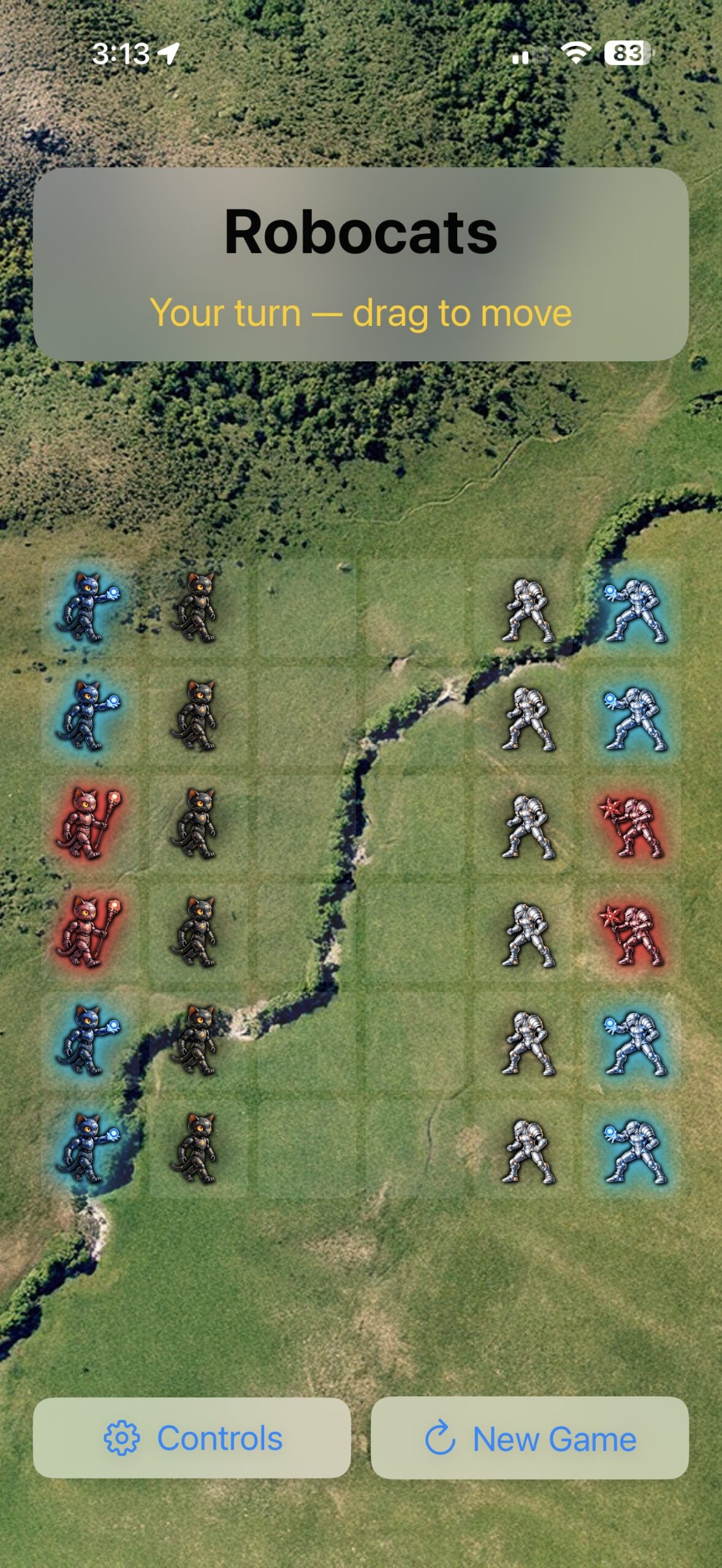
When the day started, I had a working iOS game called Robocats — a turn-based strategy game where your RoboCats battle AI-controlled Aliens on a grid. Capture all aliens to win and unlock the next level. It is a beautiful game!
- 5 levels with progressive unlock
- 3 game piece types with distinct movement rules
- Full AI opponent with multi-tier strategy
- 2-player and Chess modes
- Autoplay (AI vs AI) with speed control
- Capture particle effects and win confetti
- Sound effects
- Portrait and landscape layouts
“Cogitated for 16m 6s”, type the CC agent.
Now what, I am thinking. My game runs on Android phones too. Do I buy a developer account and put this game in the Play Store? I guess I will finish my coffee first.
Leave a Reply
You must be logged in to post a comment.