HTTP is a request-response protocol. Your app asks, the server answers, the connection closes. That’s perfect for most things — logging in, submitting a form, fetching a list of devices. But it breaks down the moment data on the server changes continuously and your app needs to know about it immediately.
For an IoT app controlling a smart oven, “refresh every few seconds” is technically possible but practically terrible:
- Latency: You might poll just after a state change, wait a full polling interval, and show stale data for that entire period.
- Battery and data: Every poll opens a new HTTP connection, completes a TLS handshake, sends headers, and waits. On a phone that’s doing this for six devices every two seconds, that overhead adds up.
- Complexity: Your app has to manage timers, deduplicate responses, and decide when to stop polling. This logic is hard to get right.
The oven’s current temperature changes every two seconds as it heats toward its target. The dishwasher counts down one minute per tick. A fridge door left open needs to trigger an alert within seconds. None of these use cases fit a polling model well.
WebSockets solve this with a persistent, two-way connection. The handshake happens once — the client and server upgrade from HTTP to the WebSocket protocol — and after that, either side can push messages to the other at any time without a new connection, a new handshake, or a new set of headers.
For live IoT data, this is the right tool. The server knows when state changes (it’s running the simulation loop). Rather than waiting for the app to ask, the server just tells the app immediately. One persistent connection replaces hundreds of polls.
WebSockets are also bidirectional. The client doesn’t just receive — it can send messages too. This app uses that to send a subscribe message that tells the server exactly which devices to stream updates for. That way a user with six devices only receives updates for the ones they actually have, and adding more devices later doesn’t require reconnecting.
The main engineering concerns with WebSockets are:
- Authentication: You can’t send headers on a WebSocket upgrade the same way you would with REST. The common pattern is to pass the token as a URL query parameter.
- Reconnection: Networks drop. The connection needs to detect failures and reconnect automatically without user intervention.
- Message routing: When a message arrives, something has to parse it and route it to the right part of the app.
Connection and authentication
WebSocketService connects by appending the auth token to the WebSocket URL as a query parameter. The server validates it on upgrade and closes the connection immediately if the token is invalid:
func connect(token: String) {
    guard let url = URL(string: "\(ServerConfig.wsURL)?token=\(token)") else { return }
    task = URLSession.shared.webSocketTask(with: url)
    task?.resume()
    onConnectionChange?(true)
    receiveLoop()
}
On the server:
wss.on("connection", function(ws, req) {
    var token = new URL(req.url, "http://localhost").searchParams.get("token");
    var userId = sessions.get(token);
    if (!userId) { ws.close(1008, "Unauthorized"); return; }
    // ...
});
Subscribing to specific devices
After connecting, the app waits 600ms for the connection to stabilise, then sends a subscribe message with the device IDs it cares about. The server only streams updates for those devices to that client:
Task {
    try? await Task.sleep(nanoseconds: 600_000_000)
    ws.subscribe(deviceIds: devices.map(\.id))
}

func subscribe(deviceIds: [String]) {
    let msg: [String: Any] = ["type": "subscribe", "deviceIds": deviceIds]
    guard let data = try? JSONSerialization.data(withJSONObject: msg) else { return }
    task?.send(.data(data)) { ... }
}
Receive loop and auto-reconnect
URLSessionWebSocketTask.receive takes a completion handler that fires once per message. To keep receiving continuously, you call it again at the end of each handler — creating a recursive loop:
private func receiveLoop() {
    task?.receive { [weak self] result in
        guard let self, self.isConnected else { return }
        switch result {
        case .success(let message):
            if let data = extractData(from: message) { self.handle(data) }
            self.receiveLoop()  // schedule the next receive
        case .failure(let error):
            self.isConnected = false
            self.onConnectionChange?(false)
            // Auto-reconnect after 4 seconds
            Task {
                try? await Task.sleep(nanoseconds: 4_000_000_000)
                if let token = self.storedToken { self.connect(token: token) }
            }
        }
    }
}
Message routing
Every message from the server has a type field. The handler switches on it and routes to the right callback:
switch type {
case "device_update":
    // Parse deviceId, deviceType, compartment, state JSON
    self?.onDeviceUpdate?(deviceId, deviceType, compartment, stateData)
case "alert":
    self?.onAlert?(deviceId, alertType, message)
case "connected":
    // Server confirmed authentication
case "error":
    // Server-side error
}
DeviceViewModel sets those callbacks when it starts the WebSocket, routing updates to the correct child ViewModel:
ws.onDeviceUpdate = { [weak self] deviceId, deviceType, compartment, data in
    switch deviceType {
    case "oven":       self?.ovenVM.applyUpdate(deviceId: deviceId, compartment: compartment, data: data)
    case "fridge":     self?.fridgeVM.applyUpdate(deviceId: deviceId, compartment: compartment, data: data, deviceName: name)
    case "dishwasher": self?.dishwasherVM.applyUpdate(deviceId: deviceId, data: data)
    }
}
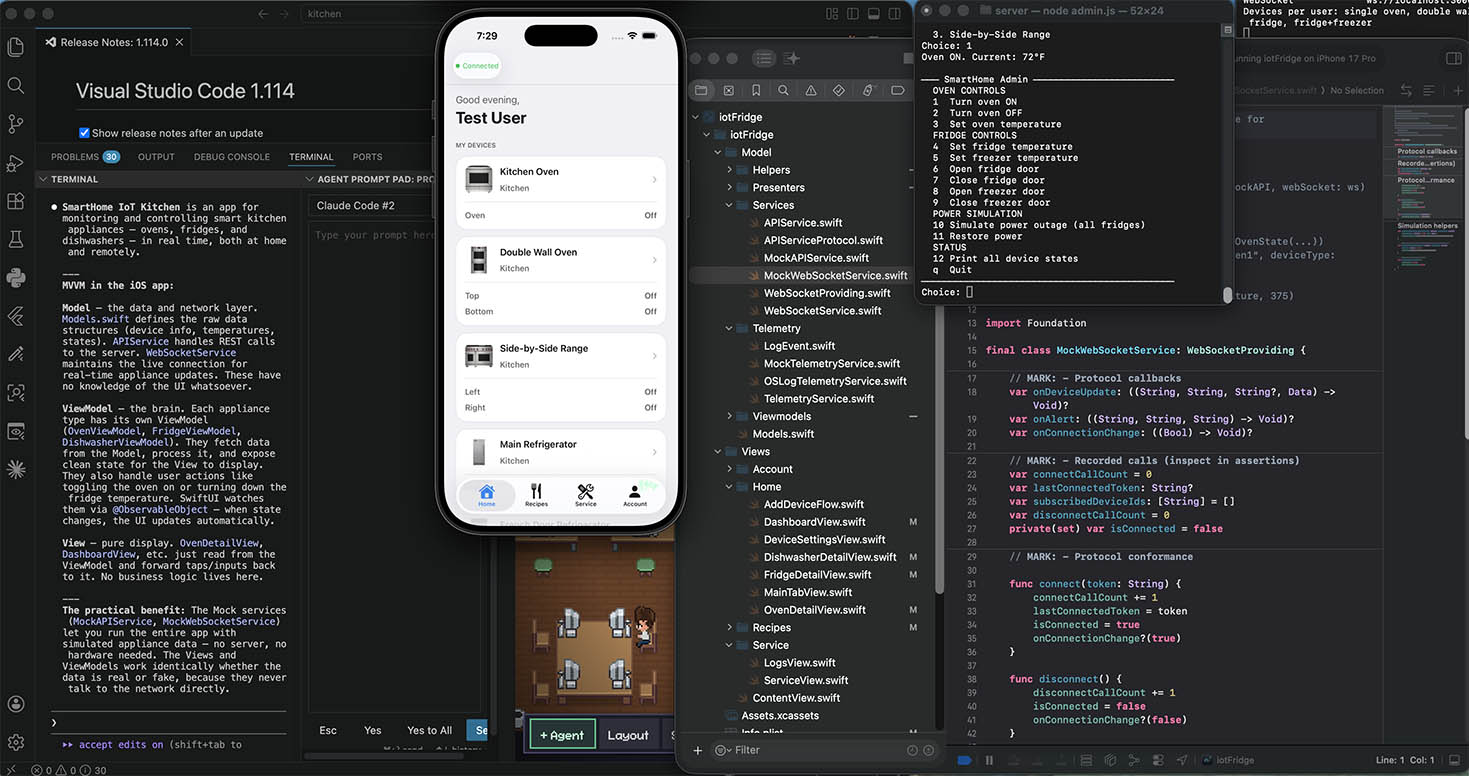
The dashboard’s connection indicator reflects the current state by observing devices.isWebSocketConnected, which the onConnectionChange callback keeps up to date. When the WebSocket drops and reconnects, the indicator transitions automatically — no polling, no timers.
Leave a Reply
You must be logged in to post a comment.